Swiss job search
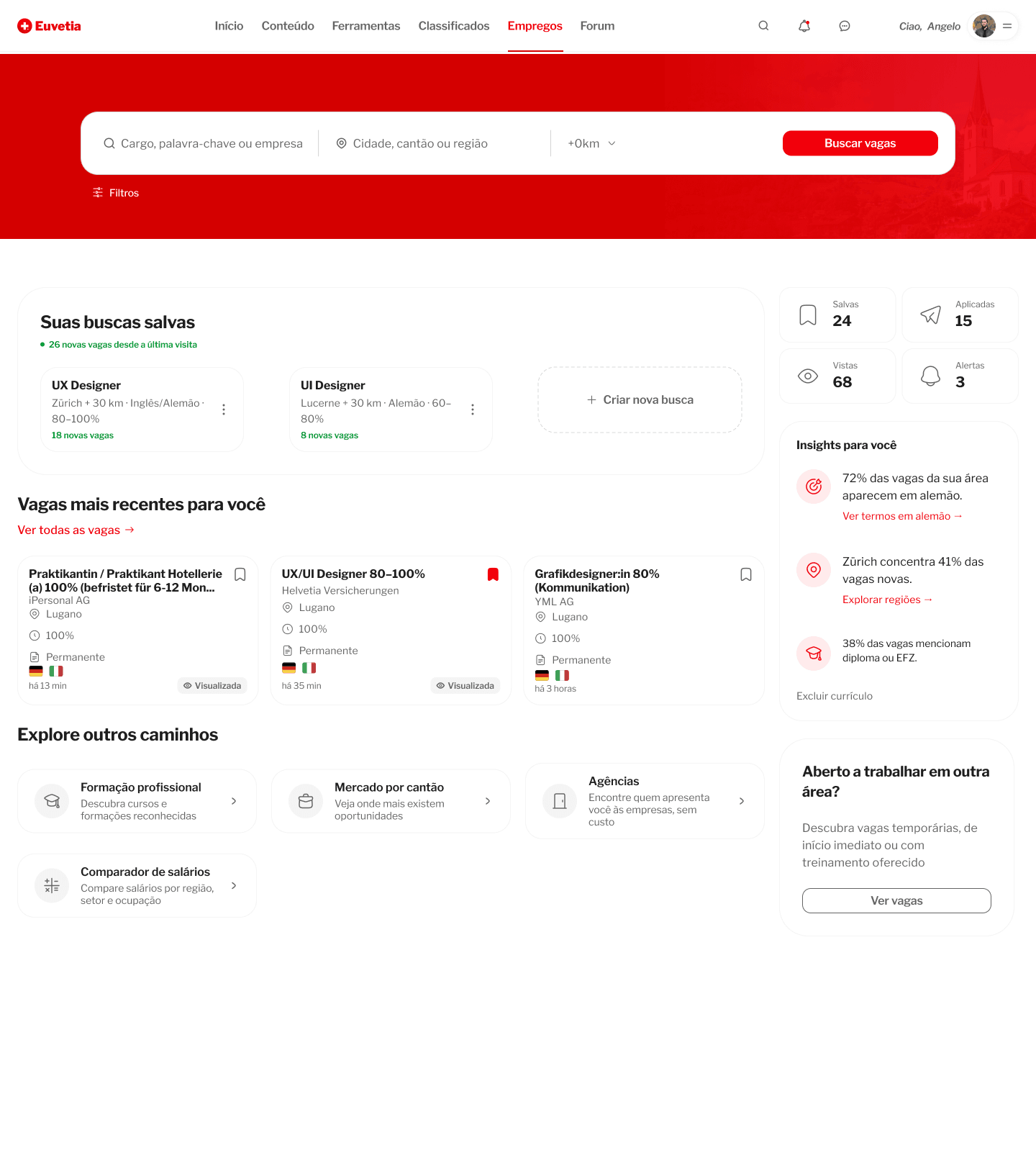
Redesign of Euvetia's job search. From a list of vacancies to a tool that explains the Swiss job market to people who are new to it.
Project overview

Role
Founding product designer

Timeline
Jul 2026 - Sep 2026

Team
1 designer, 1 engineer

Tools
Figma, FigJam, Linear
Role
Founding product designer
Timeline
Jul 2026 - Sep 2026
Team
1 designer, 1 engineer
Tools
Figma, FigJam, Linear




Finding a job is one of the first big questions of anyone moving to Switzerland.
Euvetia already had a jobs page. Members used it. But it was not helping them enough.
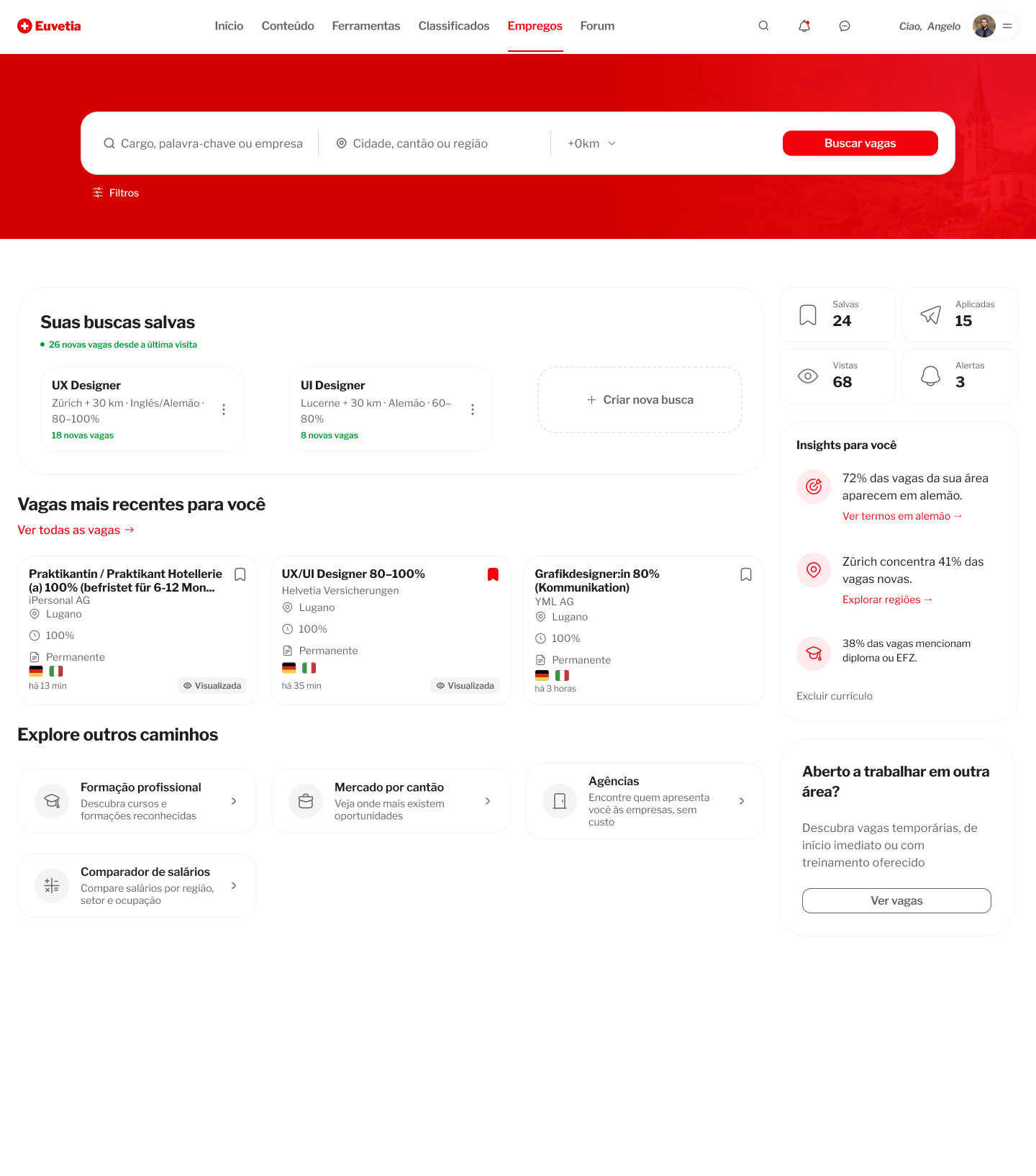
I redesigned it into a full jobs area, from research to high-fidelity design.

Where it started
The old page was a classic classifieds list:
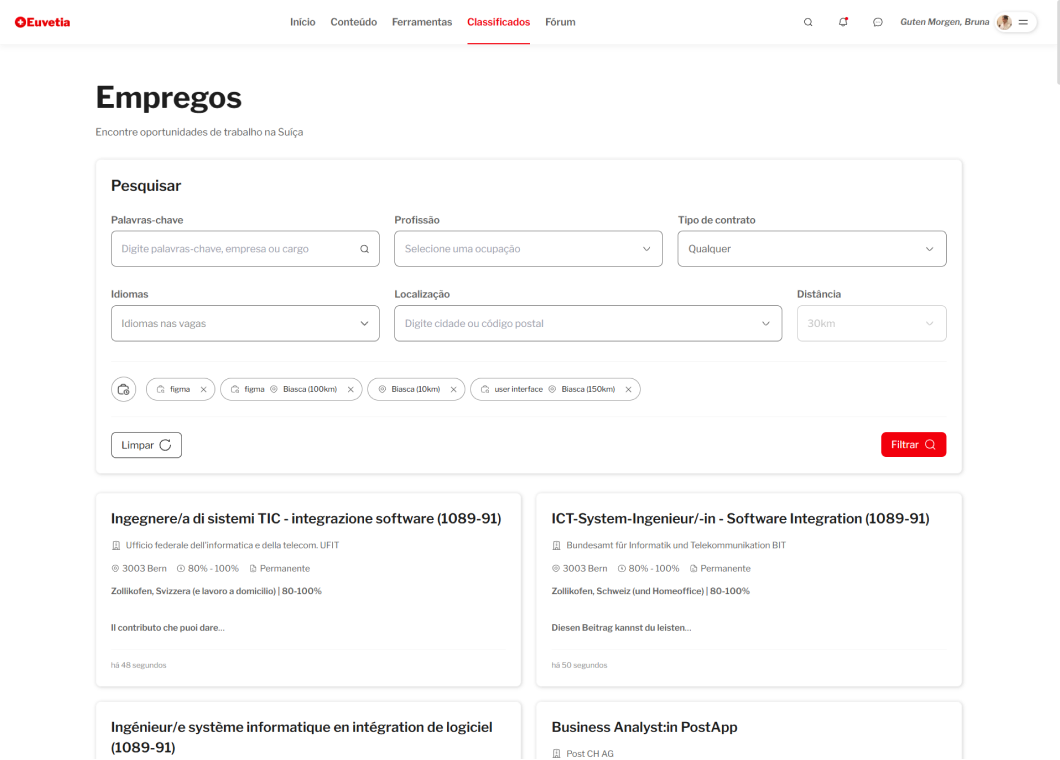
a search form with six fields before seeing any job
the same vacancy listed three times, once per language
no way to know if a job was realistic for you
Member feedback pointed to the same direction. Keyword search was too loose, filters added up results instead of narrowing them, and post dates were unreliable.
And yet, members kept coming back.
Some of the jobs were hard to find anywhere else.
#1
most visited page of the platform, ahead of the home dashboard
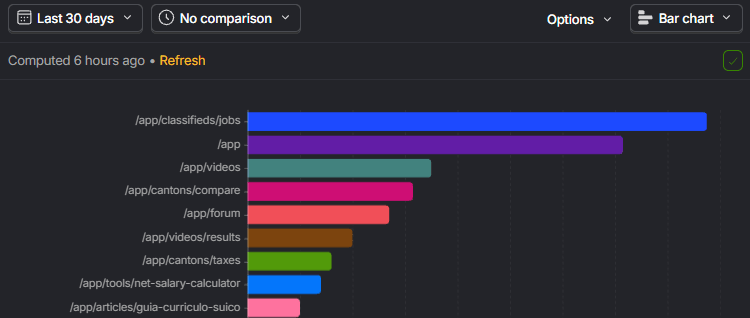
The value was already there. The experience was hiding it.
The real problem
Fixing search was the obvious part.
The harder part: our users were not only looking for a job. They were learning a new job market at the same time.
They had questions a regular job board does not answer:
What is my profession called here?
Which language does this job really ask for?
Does my CV qualify?
Which canton has work for me?
What would open more doors?
A list of jobs was not enough. Users needed the market explained.
Research
I started from what we already had: member feedback, the old page, and my own experience with the Swiss job market.
Then I looked at how the local market does it:
Swiss job boards were strong at search and filtering. I kept those patterns.
None of them was designed for someone who does not know the system yet. That became our space.
Key decisions
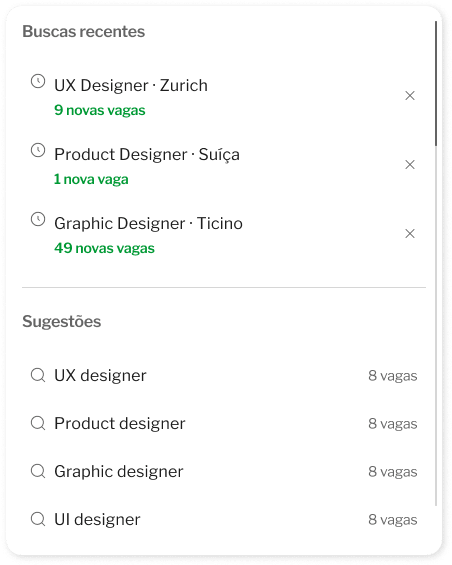
1. Speak the local job language
I called it term blindness.
A Brazilian electrical engineer searches for "engenheiro eletricista". The Swiss market calls it Elektroingenieur. Or Ingénieur électricien. Or Ingegnere elettrico.
If you don't know the word, the job doesn't exist for you.
So search shows related job titles in German, French and Italian, based on the ESCO dataset.
Grouped by language, not hidden in tabs. Many Swiss jobs are bilingual, and many people will move canton for the right role.

2. Show the match, not only the job
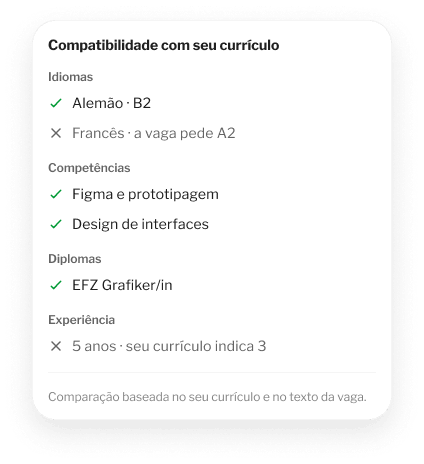
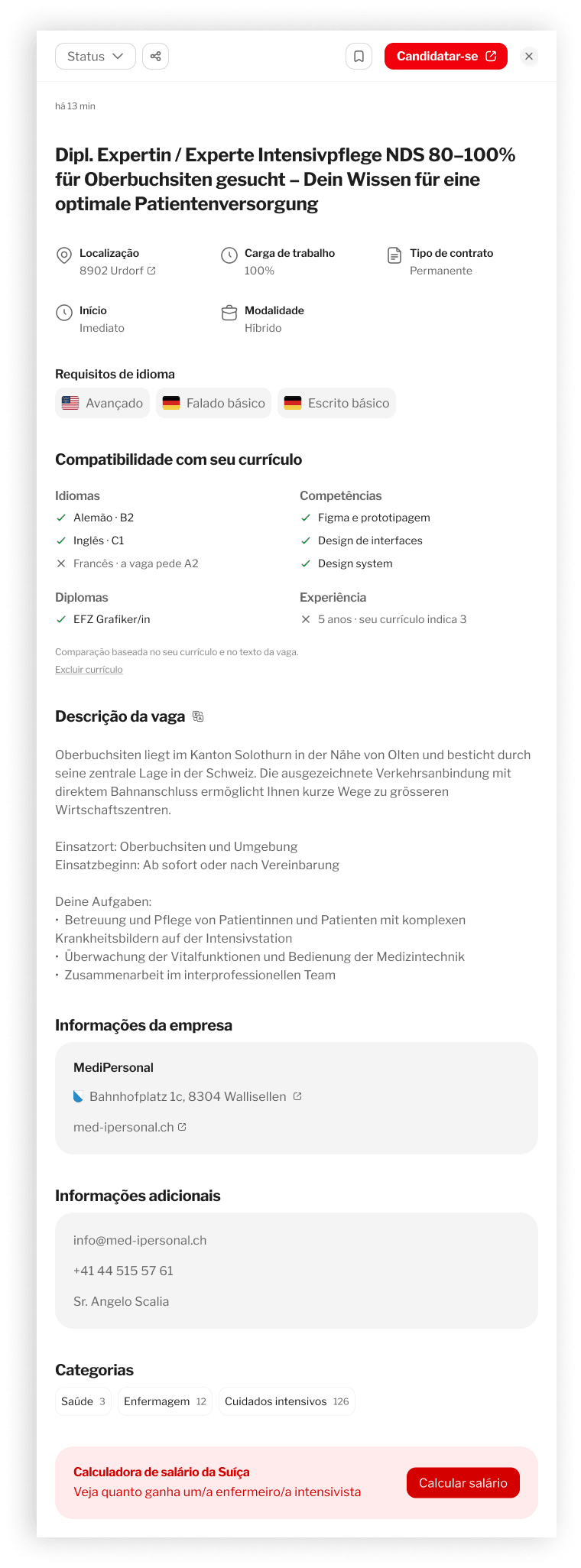
Every job shows its language requirements upfront.
With a CV uploaded or a filled-in professional profile, each job also compares itself to you:
languages
skills
diplomas
years of experience
No vague score. Just what matches, and what doesn't.
3. Turn data into direction
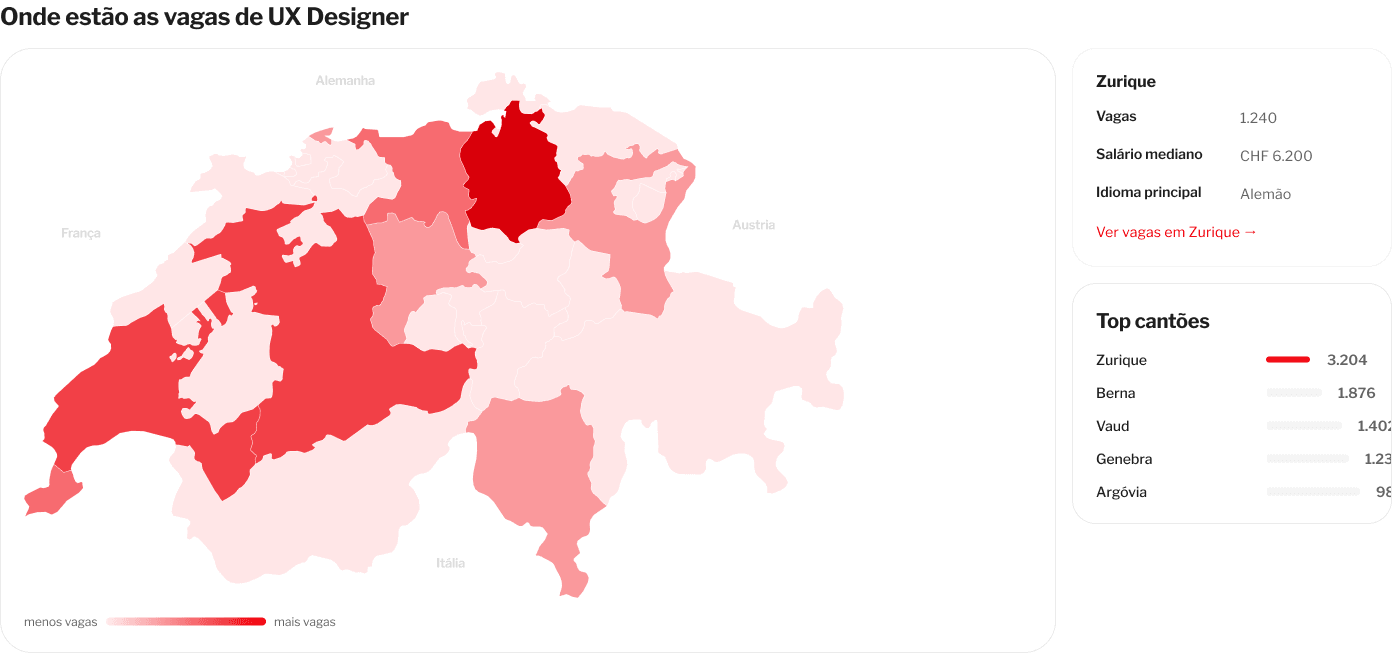
Insights compare the user's profile with all the jobs in their field.
Users choose how to share it: upload a CV, or fill out their professional profile. Without it, insights would be generic. With it, they become a plan:
where the jobs are, on an interactive map
which languages they ask for, versus yours
salary per canton
the most requested skills and certificates
what would unlock the most jobs for you


4. Point to who is actually hiring
The first idea was a list of Swiss startups.
I dropped it. The data was outdated, and being a startup does not mean hiring.
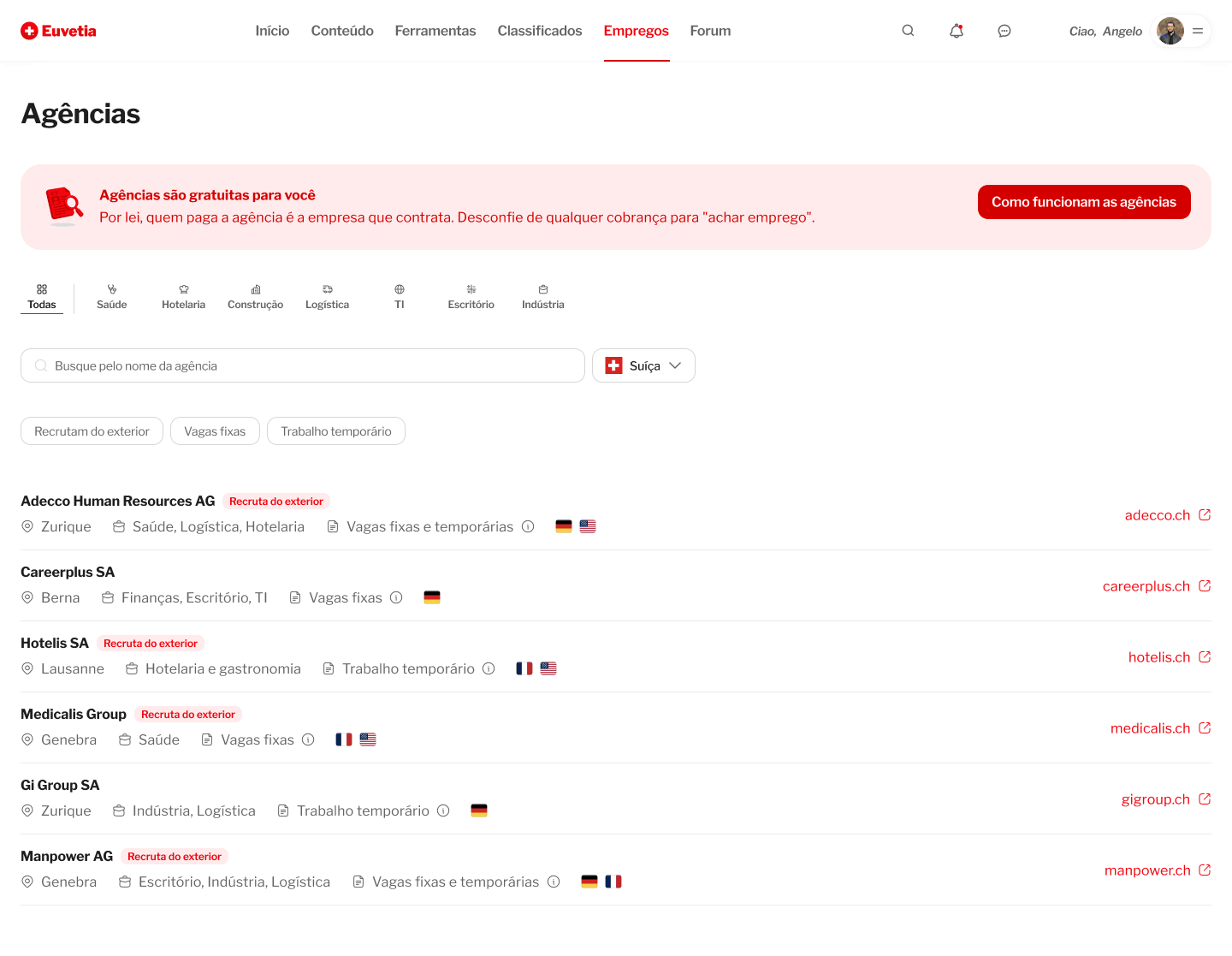
Recruitment agencies do hire. And by law, they are free for candidates.
So the page says it clearly: agencies are free for you, be careful with anyone who charges.
The data comes from the official SECO register, with a filter for agencies that recruit from abroad. Key for users still in Brazil.
5. Open another door
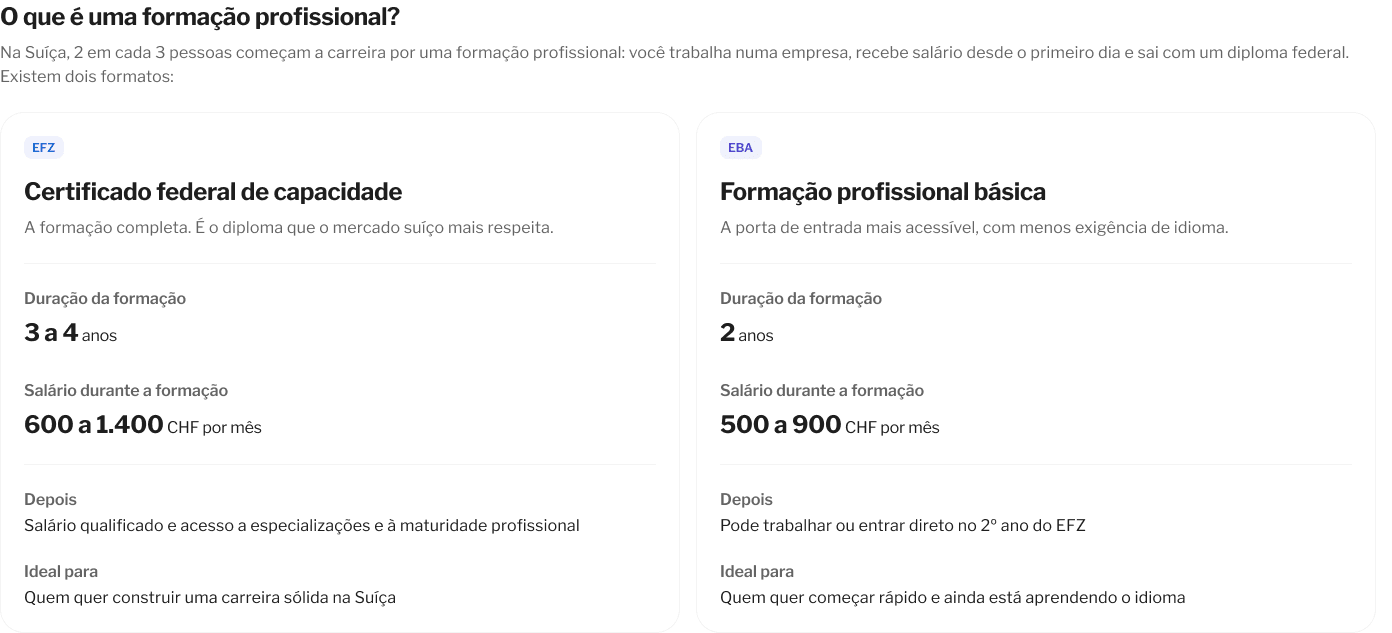
In Switzerland, 2 in 3 people start their career with an apprenticeship.
It is easy to miss if you did not grow up here.
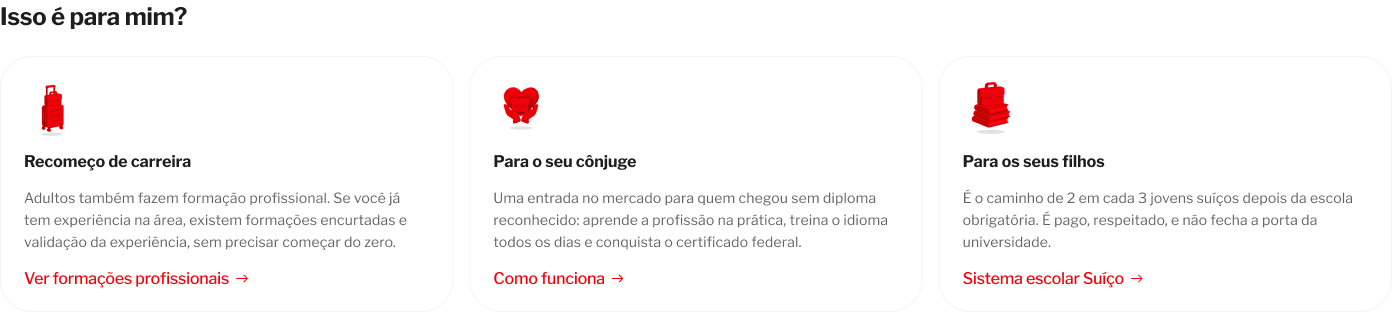
For career changers, spouses and children, it can be the most realistic way in.
The page explains what EFZ and EBA are, who they are for, and what they pay. Then shows open positions.
Keeping it simple
Every feature had to earn its place.
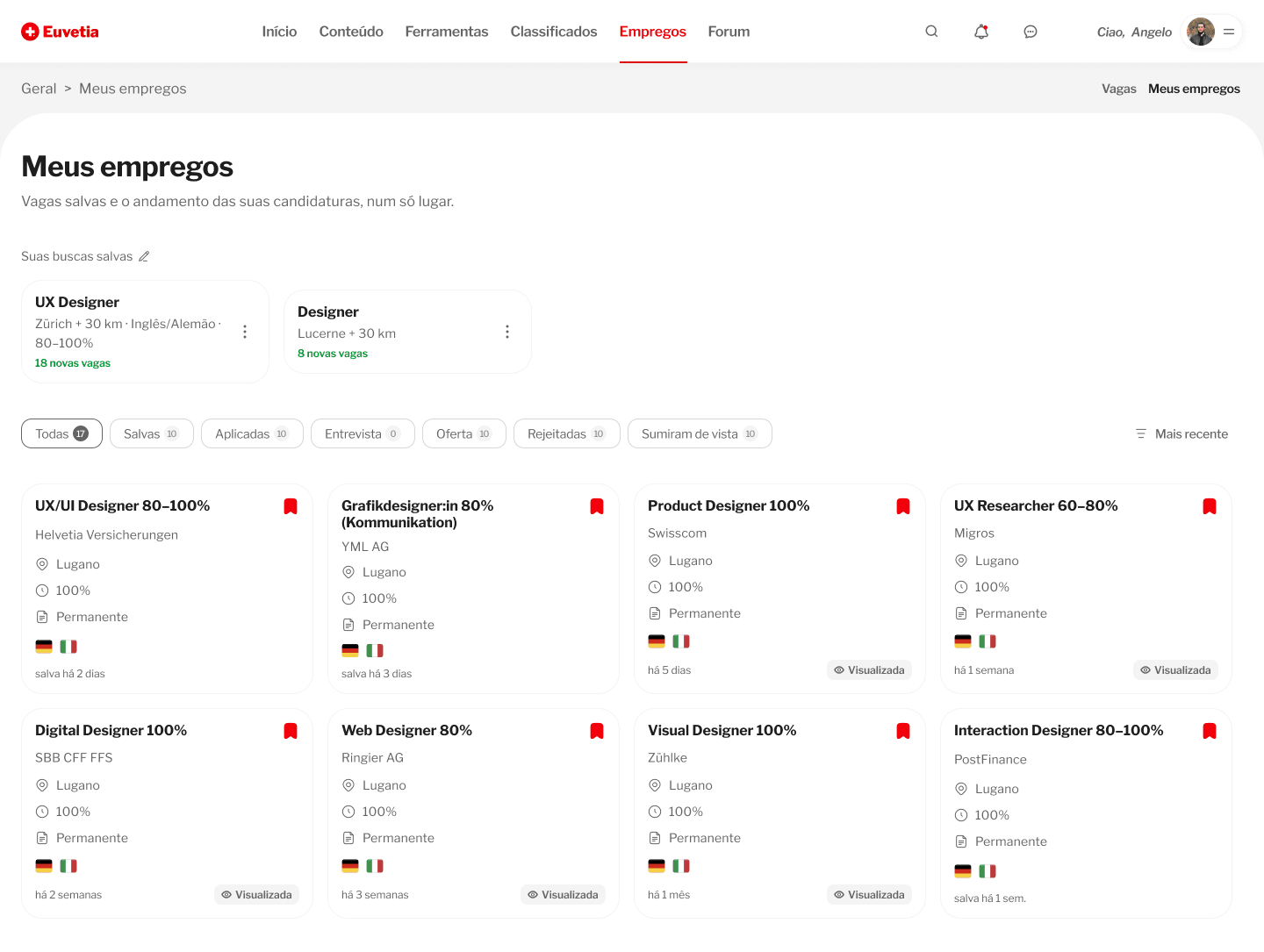
Application tracking lives in "My jobs" as simple status filters: saved, applied, interview, offer, rejected.
Apprenticeships have no application management. Their process is different from a regular job, and simple was better.
Alerts come from saved searches. Save a search, get notified of new jobs.
Outcome
Simpler search
One search bar, filters on demand, and saved searches.
Local language
Job titles in German, French and Italian, from a single search.
Personal match
Every job compared with the user's CV or profile.
Market guidance
Insights, agencies and apprenticeships as next steps, not dead ends.
What I learned
The most useful feature is sometimes an explanation, not a filter.
Asking for personal data is a fair trade when the user gets something personal back. Giving two ways to share it lowers the barrier.
Official, free data sources can power a feature with almost no maintenance.